
Patchers!
One of vvvv’s strengths is its high modularity by providing most of its functionality as optional packs. Not only, but especially useful for when you export apps, since typically you want your deployments to be as slim as possible, ie. really only including libraries that you’re using.
So, granularity with packs is great, but as so often, flexibility also comes with some overhead of managing it: Packs come in different versions, can depend on each other and be compatible amongst each other and a particular version of vvvv itself, or not. You see, complexity.
Up until now, managing those intricacies was up to you, using a simple commandline tool to install and update packs. Today we’re introducing Packman who will help you a great deal with organizing the packs used by your apps. So please clear all your assumptions about managing packs in vvvv because once again: Everything you know is wrong!
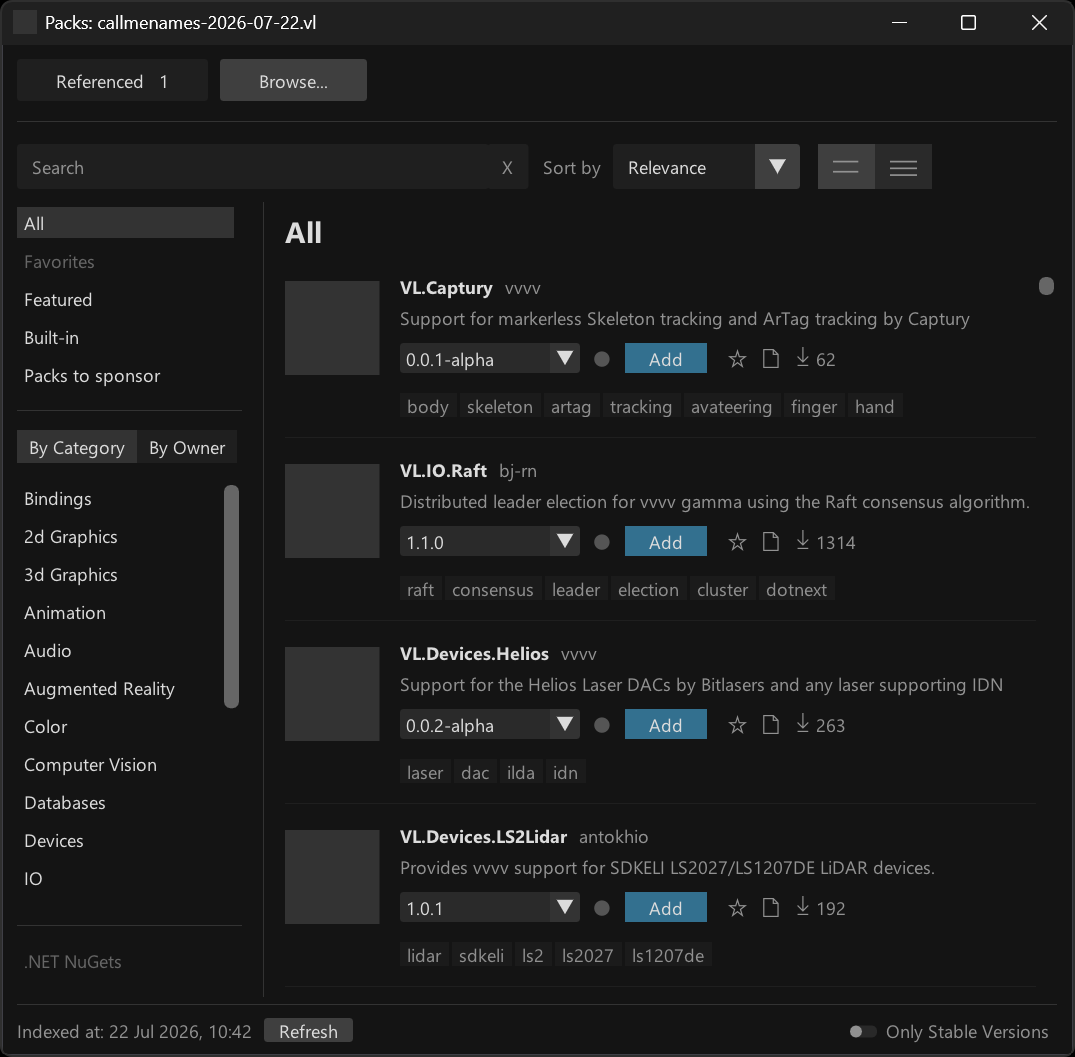
Available for testing in vvvv gamma 8.0 preview builds!
Highlights
- A single click to download and reference VL packs
- Auto-download referenced packs when opening projects
- Fine-grained, central package version management
Basic Usage
For basic usage there is not much syou need to know:
- Open Packman using Ctrl + F3
- Choose the “Browse…” tab
- Find the pack you want to use
- Click the blue “Add” button to download and reference it to your active document
- Done
If you now save your vl document and open it on another PC, vvvv will automatically download all referenced packs.
Where does vvvv download packs to? The beauty: You don’t have to care (somewhere in a system nuget cache). The \nugets folder you’ve had to manage in earlier vvvversions does not play any role in vvvv gamma > 8.x anymore.
That’s mostly what you need to know for a start. There are more details though and you can read about them in the new gray book chapter on Packman.
Quick VL pack reference
The best thing about Packman is that in the end you will not even need it that much! If you already know the name of a VL pack you want to reference, you can now simply add it via the Nodebrowser. Check this:
Type the name of any pack in the nodebrowser, select it and you’re done. Any VL pack found in Packman or in the online packs browser can be added like this.
Say what? What does this do exactly? Two things:
- Downloads the preferred version (see below) of the pack
- References this version of the pack with your active VL document
Want to remove the pack again? Same trick:
So when do you now still need Packman?
- To search for packs
- To get more information about a VL pack
- To adjust versions for referenced packs
- To search for and reference .NET NuGets (ie. packs that are not specifically made for VL)
Preferred version of a pack
The question may arise: When you simply choose to add a reference of a pack via the Nodebrowser, without specifying a version, what version will you get? The answer: vvvv has an idea of a preferred version per pack and here is how that’s computed:
- Start assuming the latest stable version of the pack
- Check the package-constraints file for known limitations of the pack regarding the running version of vvvv
- Settle on the latest available stable version of a pack that is not constrained by the package-constraints
Note how this information is also visualized in the version dropdown of each pack. If vvvv is aware of any incompatibilities between a specific version of a pack and the running instance of vvvv you’ll see those “Stop” sign icons, meaning those versions of the pack will not work with the current vvvversion.

Keep in mind that the package-constraints file is edited by humans like you. So the information it provides is only as accurate as it is communaly maintained.
Favorites
Despite the sheer number of packs available, you may realize that often you only use the same. To give you quick access to those, we’ve added the idea of favorite packs. You can star packs in the Packman or Helpbrowser:
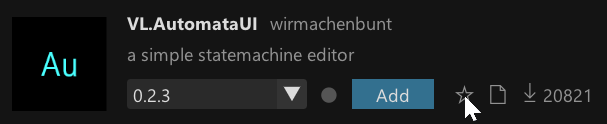
And then get quick access to those in a separate listing:
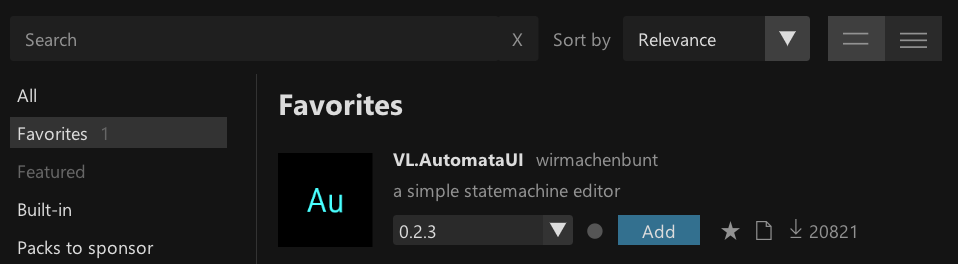
Little caveat: If you’ve used favorites in the Helpbrowser before, those will not be transferred to the new system automatically.
Support developers
Also please pay extra attention to this special listing:
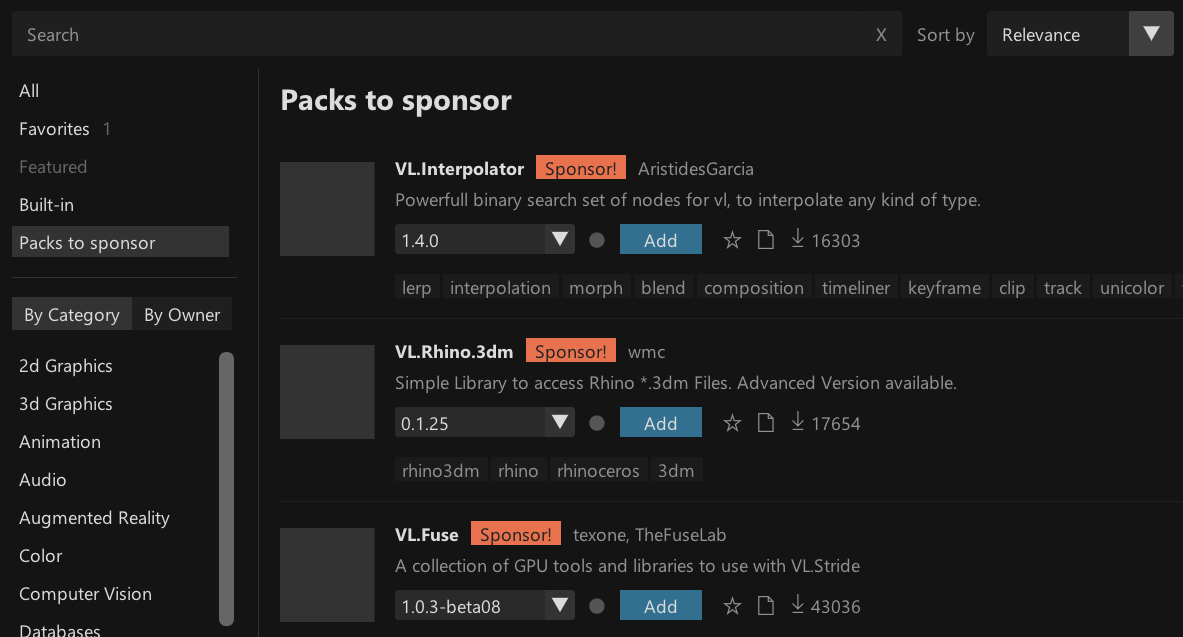
Packs don’t appear out of thin air. They are made and maintained by your fellow patchers. If a pack is useful to you, please support the creator!
Install packs via Helpbrowser
There is more. Remember how previously you’d have to find a pack, install it and only then get access to its help patches via the Helpbrowser?
Now, when searching in the Helpbrowser, it also looks for packs that might fit you term and displays those in a separate section at the very bottom labeled “More Packs”. If you find anything here, you can one-click download the pack and get instant access to its helps.
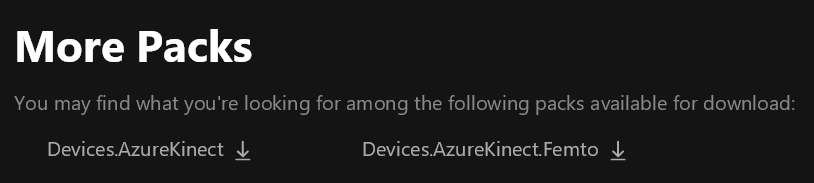
Note the difference: if you download a pack here, it is simply available offline and you can browse its help patches. It is not yet referenced with any of your documents!
Also you may wonder: The content of which packs does the Helpbrowser show at all and in what version?
Remember: In versions <= 7.x of vvvv gamma, the packs you’d see in the Helpbrowser would always be the most recent ones found in your nuget folder.
Since that folder does not exist anymore, there are now different rules:
- If a specific version of a pack is loaded, the Helpbrowser shows the help content of that particular version
- Otherwise, the Helpbrowser shows the content of the preferred version (see above) of the pack, but only if it is already available on your system (ie. you have had it referenced/downloaded before)
HDE Extensions
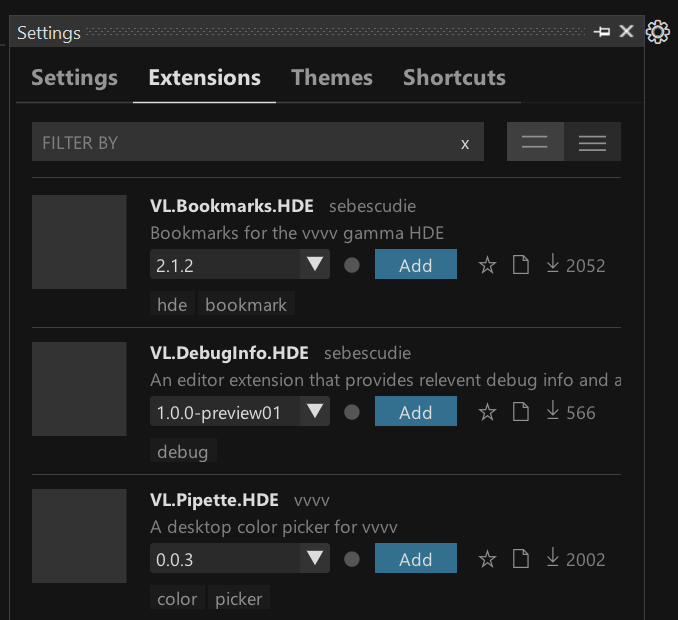
And finally, there is a special type of packs we call “Extensions”. They provide added functionality for vvvv the “hybrid development environment” itself, ie. they are not tied to any of your projects.
Those extension packs can now be installed via the new “Extensions” tab in Settings:
What’s missing
Here’s what we’ve currently planned to complete for the stable 8.0 release:
Custom nuget source
nuget.org is only the default package repository, but you can also host your private packs on other servers, which is not supported at the time of writing.
Central version definition
For larger projects you’ll want to have a central place where you can specifiy versions of packs that any .vl document or .csproj references. We’re still working out how exactly this should work for you, so still to come.
Non-pack references
Pack references are not all. .vl documents can also reference files or .NET framework assemblies. We haven’t touched those yet, those still work as before but should also be moved to be accessible via the new References page in Packman.
Further
Two more things that are quite substantial changes for 8.x, but merely fit a foot note in this post:
Smaller download / quicker install
When download + installation of vvvv 7.x took roughly around a minute, you’ll notice that we’re now down to < 20s. Yes that is for download and install combined! How so, you ask? Packman makes vvvv even more modular than it has already been. So we now install even less things by default and you only get them as you need them. This includes the whole VL.Stride pack (which amounts to ~1gb on disk). So only the first time you open a patch referencing VL.Stride you’ll notice a delay because of the download, but then that’s it.
.NET 10

With the 8.x branch of releases vvvv switches to .NET 10. Among general under the hood modernization and improvements this means you get access to all C# 14 features. Horray!
Ok, that’s it. Now over to you. Keep in mind, at the time of writing, Packman is in preview and we still expect you to encounter issues with it. In this case, please don’t hesitate to report them on the forum!
Available for testing in vvvv gamma 8.0 preview builds.


Comments:
Comments are temporarily disabled.