
Dear patcher,
as an avid vl user by now you’ve understood that in vl there are different kinds of patches. While colloquially we just call them all patches for simplicity and because they all allow you to patch in them, we can easily distinguish two main types of patches:
- Datatype Patches: patches defining a process node and/or datatype
- Structural Patches: patches that only help you structure your programs
While datatype patches more resemble what we had in vvvv, structural patches are new in vl. We just reworked this part a litte and ended up with 3 structural patches which make things much more clear:
- Group
- Category
- FullCategory
But before we go on let’s make sure we are on par regarding the term “Category”:
TogEdge (Control), that means there is a node named “TogEdge” in the category “Control”. Also categories are what we see in the NodeBrowser. They can be nested, like Animation.FrameBased and in general they are our friends.What we had so far was a not so clear mix of all three. Let’s see what we have in latest alpha:
Group
Group patches simply allow you to create more space in a patch by opening a new canvas. The groups name is merely used for human readability, vl doesn’t care about it at all. Create a group by typing “group” in the nodebrowser. Groups is what you will be mostly using in your daily project-patching work.
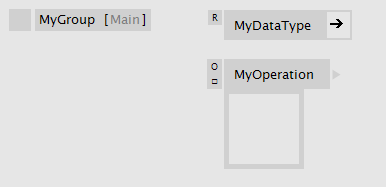 Inside a group patch
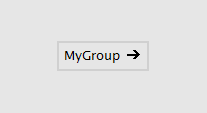 Group patch from the outside
Category
A Category patch looks quite similar to the group, only its name has a meaning: The name appends itself to the category of its parent patch. That way you can build up any category hierarchy, that you then see in the NodeBrowser. Multiple category levels are allowed with dot notation. e.g. MyCat1.MyCat2.
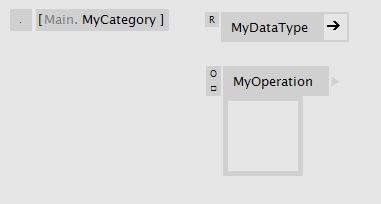 Inside a category patch
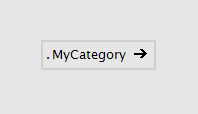 Category patch from the outside
Full Category
A Full Category patch is similar to the Category patch, only that it doesn’t add its category to the parent. By that you can place nodes in any category, regardless of the parent patch. It’s considered bad practice to do that, but is useful to add nodes to an existing category like Collections.Spread, for example. Multiple category levels are allowed with dot notation. e.g. MyParentCat.MySubCat.
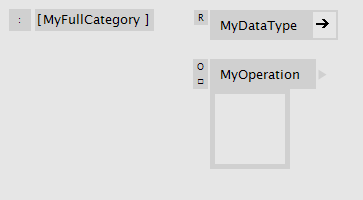 Inside a full category patch
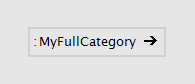 Full category patch from the outside
Each vl document can directly start a category, which you can define in the angular brackets in the top left corner of the document patch.
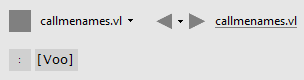 “Voo” specified as a documents category
Changing the Patch Type
You can easily convert a group patch into a category patch and vice versa by the patch type enum. Note how the label changes and represents the actual category structure:
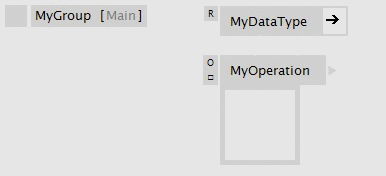 Converting a group into a category
Setting Categories on Node-Definitions
As if the above didn’t offer enough options already there is one more way to specify a category for an operation or a datatype definition:
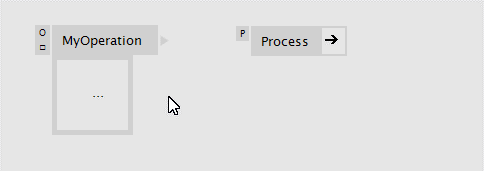 Setting a Category on an datatype or operation-definition
Happy node sorting!


Comments:
Comments are temporarily disabled.