

When we talk with our trusted VL pioneers we often find them implementing timeline like applications, which come with the main problem to find the keyframe that is the closest to a given time, often even finding the two closest keyframes and interpolate between them weighted by the position of the current time.
Easy? Just order all keyframes by time and start at the first keyframe and go thru the collection until you find one that has a time greater than the time you are looking for. This is called linear search and might work very well at first, but obviously has two performance problems:
- The bigger the time you are looking for gets, the more checks you have to perform
- The more keyframes you have, the more checks you have to perform
Enter Binary Search
Binary search does the same task in a much smarter way: It starts with a keyframe in the middle of the collection and checks whether the time you are looking for is greater or smaller than this middle keyframe. Now it can rule out half of all keyframes already and search in the interesting half in the same way: Take the middle keyframe and compare its time. As this rules out half of all remaining keyframes in every step, the search is over very quickly. In fact it’s so stupid fast that on a 64-bit machine the maximum steps it has to perform is 64, because the machine cannot manage memory with more than 2^64 elements.
VL Nodes
The VL nodes cover several use cases. Depending on how your data is present you can choose from the following options.
Only Values
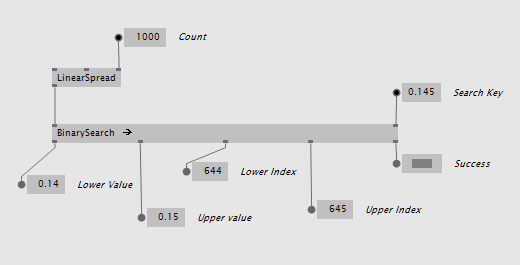
The most simple node is just called BinarySearch and takes a collection of values. It returns the element that is lower and the one that is higher, their indices and a success boolean indicating whether the search key was in the range of the input values at all:
Key Value Pairs
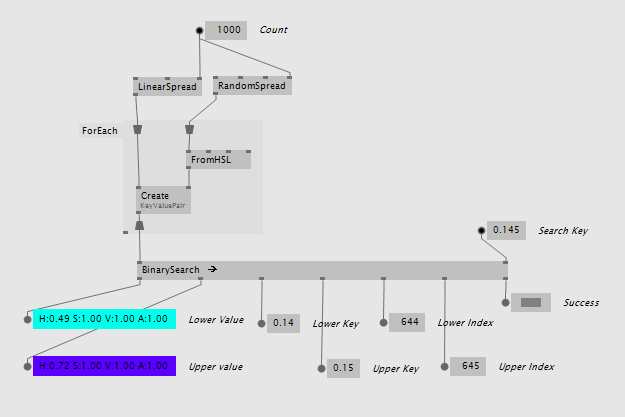
For simple scenarios that don’t require a custom keyframe data type the BinarySearch (KeyValuePair) version can be used. It operates on the simple data type KeyValuePair that comes with VL.CoreLib and returns the values, keys and indices:
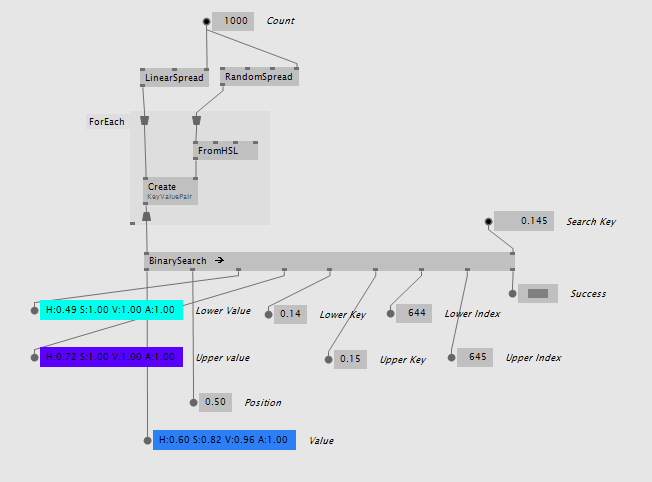
It also comes as BinarySearch (KeyValuePair Lerp) with an integrated linear interpolation between the values that is weighted by how far the search key is from the two found keyframes:
Custom Data Types
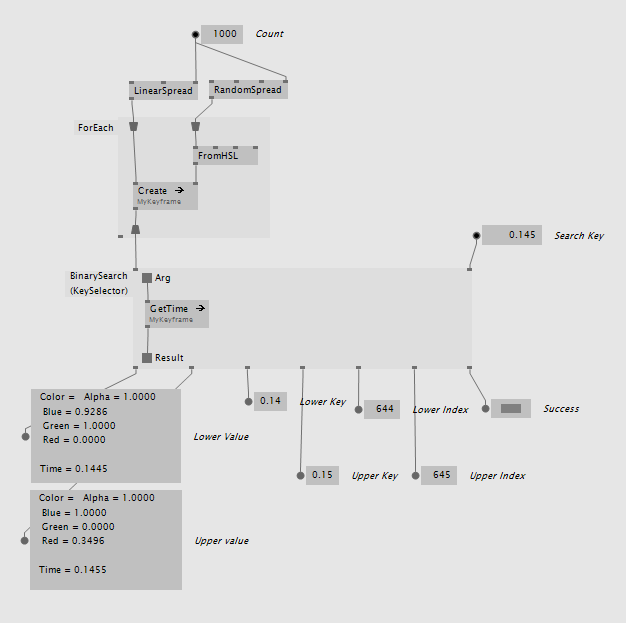
If you have your own keyframe data type the BinarySearch (KeySelector) is your friend. It can be created as a region with a delegate inside that tells the binary search how to get the key from your custom type:
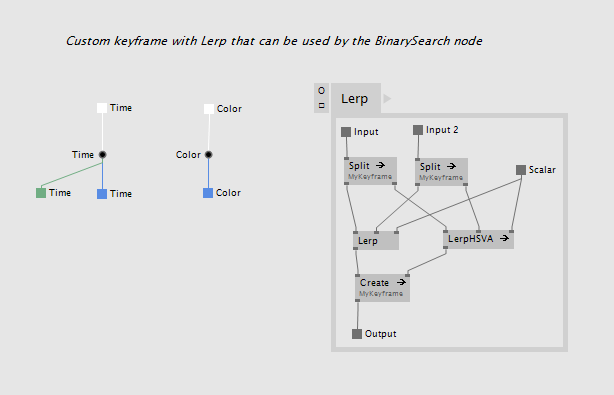
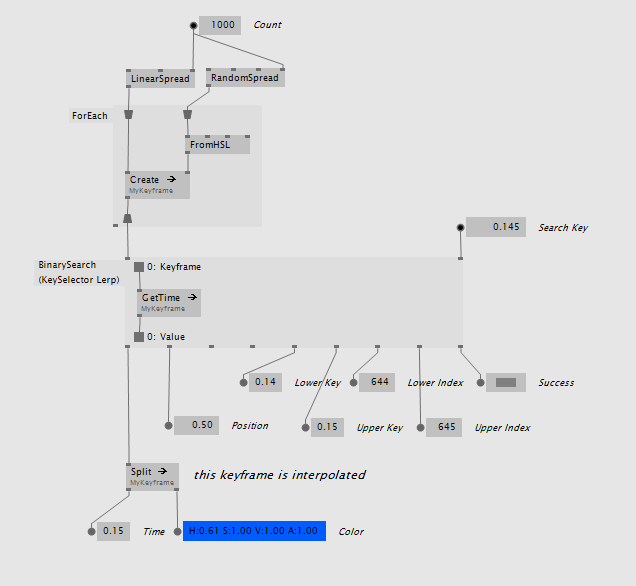
There is also BinarySearch (KeySelector Lerp) which has the same delegate and needs a Lerp defined for your keyframe that it can use internally. You keyframe data type could look like this:
The usage is then basically the same:
Other usages
A timeline is of course just one use case where binary search is useful. All data that can be sorted by a specific key can be searched by it. Speaking of sorting, if you add elements to a sorted collection binary search can help you to find the index at which to insert the new element. Use the Upper Index output as insert index like this:
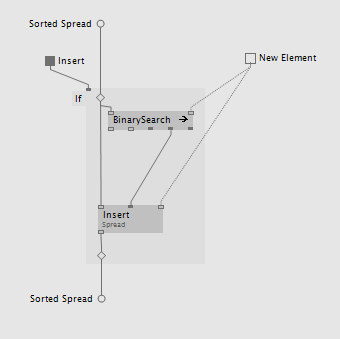
So it can help you to keep the very same collection up to date that you use to lookup the elements. A usage example can be found in girlpower\VL_Basics\ValueRecorder.
Enjoy the search!
Yours, devvvvs


Comments:
Comments are temporarily disabled.