
Due to our recent build server change, we accidentally broke the fetch-binaries script, which gets called by various post merge/checkout hooks installed by the init script and so in turn we managed to break the whole checkout/pull procedure :/
**Sorry **for that.
We decided to get rid of all these post merge/checkout hooks entirely and let the user decide when to invoke the fetch-binaries script for the following reasons: The init script was used in the past to install post merge/checkout hooks to your local .git folder. These hooks did stuff like updating symbolic links or downloading a matching vvvv.exe from our build server. We got rid of the symbolic links about a year ago and the automatic download of a new vvvv.exe everytime you switched a branch started to get cumbersome.
Now in order to get everything running again you’ll first need to delete those broken post merge/checkout hooks installed in your local .git folder.
Navigate to vvvv-sdk.git\hooks and delete all non-sample files like this:
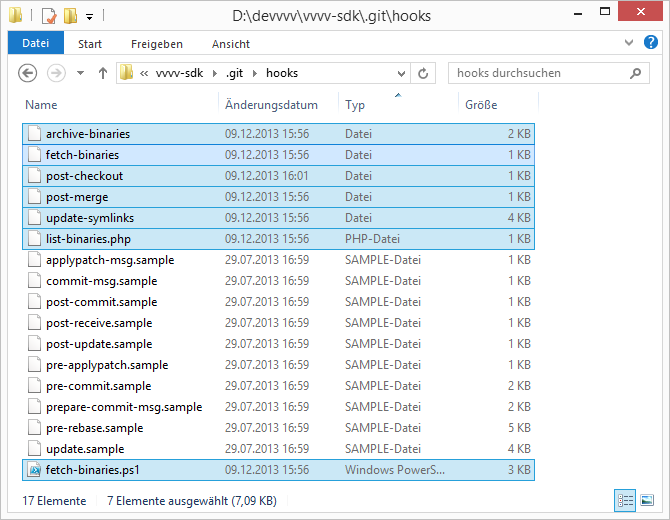
You can now do the usual git pull upstream develop
And after ensuring that powershell 3.0 is installed (installed by default on windows 8) you can fetch a matching vvvv.exe (32 bit) with scripts/fetch-binaries Or in case for a 64 bit version do a scripts/fetch-binaries x64
We’ve also updated the vvvv sdk page to reflect these latest changes.


Comments:
Comments are temporarily disabled.